# Overview
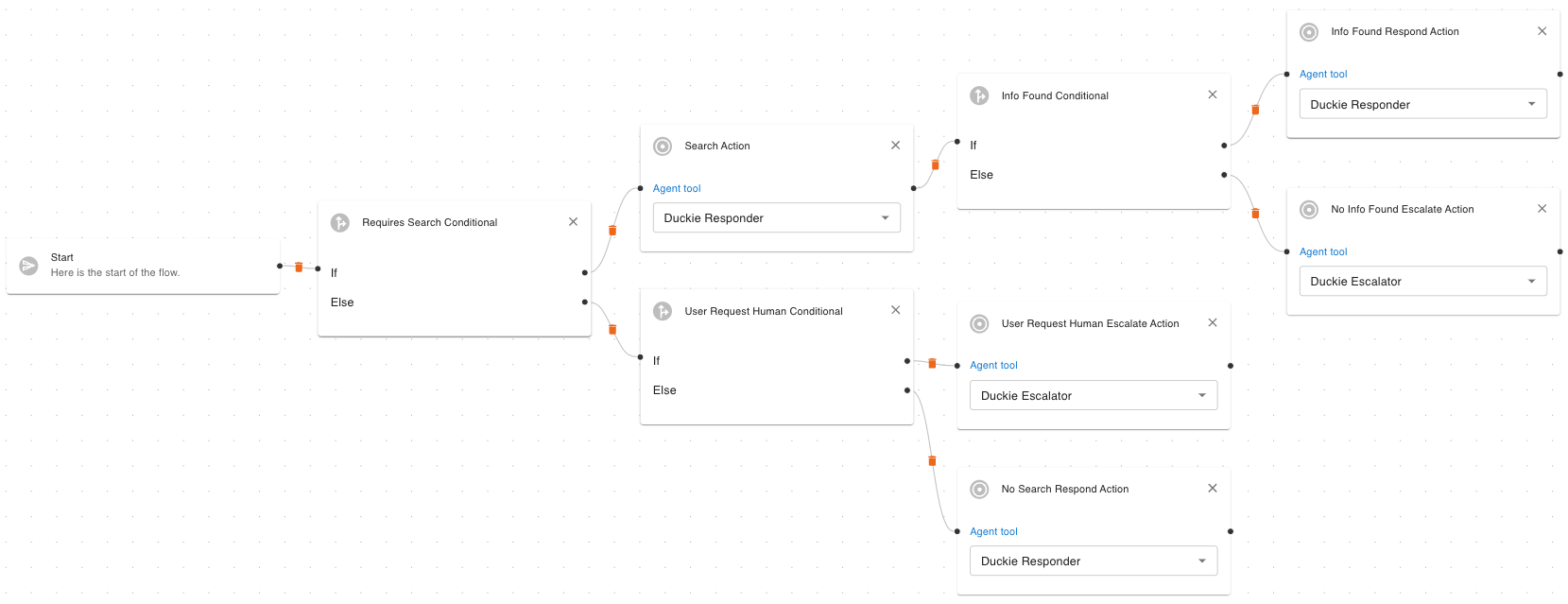
Workflows are **sequences of actions** that let your Duckie agent handle tickets in a predictable, automated way. Workflows give you full control over your agent’s behavior, combining deterministic logic with LLM-driven decision-making.
## Purpose of Workflows
The goal of workflows is to let you teach your AI agent to follow your runbook or SOPs.
If you have a defined process for handling a type of ticket — like **how to cancel a subscription** or **how to troubleshoot a product feature** — you can use workflows to automate that logic. The AI agent will follow the steps you define, just like a human agent would.
With workflows, you can:
* Define how your agent responds to different types of tickets
* Control decision-making using conditions
* Customize the response and escalation logic of your agent
* Call [Agent Tools](/customization/agent-tools) to trigger actions (e.g. process refunds, fetch logs)
 ## Key Concepts
#### Node
The basic building block of a workflow. Each node performs a specific task or decision.
* **Node Input**: Data provided to a node (e.g. conversation context, values, previous outputs).
* **Node Output**: The result produced by a node that can be used by downstream nodes.
#### Action Node
## Key Concepts
#### Node
The basic building block of a workflow. Each node performs a specific task or decision.
* **Node Input**: Data provided to a node (e.g. conversation context, values, previous outputs).
* **Node Output**: The result produced by a node that can be used by downstream nodes.
#### Action Node
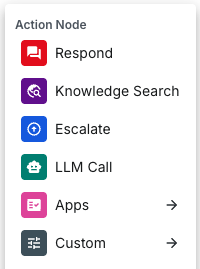 Action nodes perform tasks, like sending a message, searching your knowledge base, or calling an Agent Tool.
Action nodes perform tasks like:
* **Respond**: Send a message to the customer (LLM-generated or predefined).
* **Knowledge Search**: Search your connected knowledge sources.
* **Escalate**: Notify your support team and optionally send an update to the customer.
* **LLM Call**: Call the LLM with a specific prompt and context.
* **App-specific actions**: Call app-specific actions like creating a Zendesk ticket, route a ticket to a Slack channel, etc.
* **Custom Agent Tools**: Call agent tools you created.
#### Conditional Node
Action nodes perform tasks, like sending a message, searching your knowledge base, or calling an Agent Tool.
Action nodes perform tasks like:
* **Respond**: Send a message to the customer (LLM-generated or predefined).
* **Knowledge Search**: Search your connected knowledge sources.
* **Escalate**: Notify your support team and optionally send an update to the customer.
* **LLM Call**: Call the LLM with a specific prompt and context.
* **App-specific actions**: Call app-specific actions like creating a Zendesk ticket, route a ticket to a Slack channel, etc.
* **Custom Agent Tools**: Call agent tools you created.
#### Conditional Node
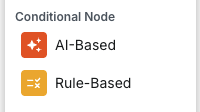 Determine which task to perform next by splitting the workflow path based on specific conditions:
* **AI-Based**: Use an LLM to decide the next step (e.g. detect intent from message).
* **Rule-Based**: Use a deterministic comparison (e.g. if user message contains certain keywords).
#### Workflow Node
Determine which task to perform next by splitting the workflow path based on specific conditions:
* **AI-Based**: Use an LLM to decide the next step (e.g. detect intent from message).
* **Rule-Based**: Use a deterministic comparison (e.g. if user message contains certain keywords).
#### Workflow Node
 Calls a sub-workflow (child workflow) to keep your logic modular. Use it to route tickets to different workflows based on intent. For example:
* A **payment workflow** for billing issues (e.g. refunds, subscription checks)
* A **product how-to workflow** for usage questions
* A **bug report workflow** for logging issues and filing tickets
You can have a **main workflow** that detects the ticket type and ties these sub-workflows together, making your automation modular and easy to manage.
→ Next: [How to Create a Workflow](/customization/workflows/create)
Calls a sub-workflow (child workflow) to keep your logic modular. Use it to route tickets to different workflows based on intent. For example:
* A **payment workflow** for billing issues (e.g. refunds, subscription checks)
* A **product how-to workflow** for usage questions
* A **bug report workflow** for logging issues and filing tickets
You can have a **main workflow** that detects the ticket type and ties these sub-workflows together, making your automation modular and easy to manage.
→ Next: [How to Create a Workflow](/customization/workflows/create)